Realtime View of Your Compliance Program. Let Trustero Intelligence Build the Report You Need.
Workflow-Generated Reports
Every Control Test and Playbook run produces a named, timestamped report - automatically stored in the repository, ready to share, export, or use as input for the next workflow.
Connected Workflows
Reports don't just record findings - they can feed directly into another Playbook. A control test report becomes the input for a risk analysis. A policy assessment feeds a remediation plan workflow.
Live and Historical Dashboards
Dashboards show the current state of your program and the historical trends behind it - scoped by framework, label, department, or any combination your program requires.
From Workflow to Record to Insight. Continuously.
Control Tests and Playbooks are the engines. Reports are the durable record of what they found. Dashboards are the live view of what it means for your program - right now and over time.
Every Run Is Automatically Documented
Control Tests and Playbooks produce reports without any manual effort. Named, timestamped, and stored the moment a run completes - cited findings and AI reasoning captured for every assessment.
Reports That Connect Workflows
A report isn't just a record - it's an input. Feed a control test report into a Playbook that analyzes the risks of failing controls. Chain workflows together so each assessment builds on the last.
Scoped to Exactly What You Need
Use custom labels to define the scope of any report or dashboard. Limit a control test and its report to a specific service. View a dashboard filtered to one product line, one department, or one team's controls.
Built for Every Audience
Print or export any report or dashboard to PDF. Export control test results to CSV. Use them directly in presentations to management, executives, Risk & Audit Committee, auditors, regulators.
FIVE REQUEST TYPES
The Right Ask for Every Situation
Every time a workflow runs in Trustero - whether a Control Test or a Playbook - it produces a report. That report is generated by the Trustero AI and stored automatically in the Reports repository the moment the run completes. It has a name, a timestamp, and a permanent place in the repository independent of the chat or session where the run took place.
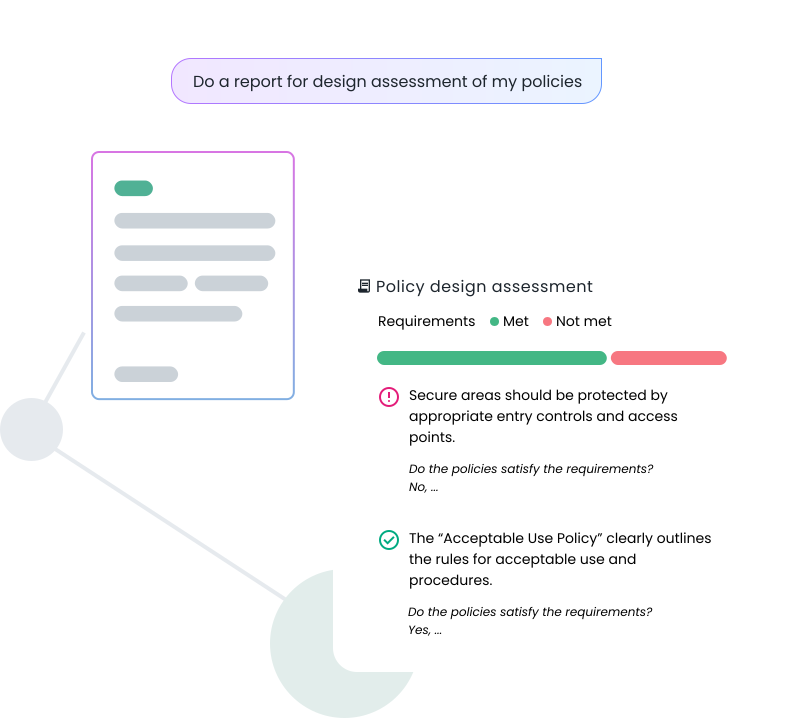
Reports are the durable record of what was performed or assessed, and what was found. A Control Test report captures per-control pass/fail results, per-procedure AI reasoning, and citations linking back to the source evidence and policy documents. A Playbook Summary captures what the playbook analyzed, what it found, and what it recommends - with narrative sections and embedded charts. A Policy Design Assessment report provides a section-by-section breakdown of a framework's requirements against your policies, with each requirement marked as met, not met, or partially met, and citations to the source documents.
What makes reports more than a static record is that they can be used as input for another Playbook. Run a full Control Test, receive a report of the results, and feed that report directly into a Playbook that analyzes the risk implications of the failing controls. Each workflow's output becomes the next workflow's starting point - creating a connected chain of AI-driven analysis that builds on itself over time.
Custom labels give you precise control over scope. Tag controls, policies, or evidence with a label - for a specific product, service, or team - and run a Control Test or Playbook scoped to only those labeled artifacts. The resulting report reflects exactly the slice of your program you need.
DASHBOARDS
The Current State of Your Program - and the History Behind It.
Dashboards show where your compliance program stands right now. But they also show how you got here - with historical trend data that accumulates across runs over time, so you can see how control performance for a framework has evolved over the past 12 months, not just what it looks like today.
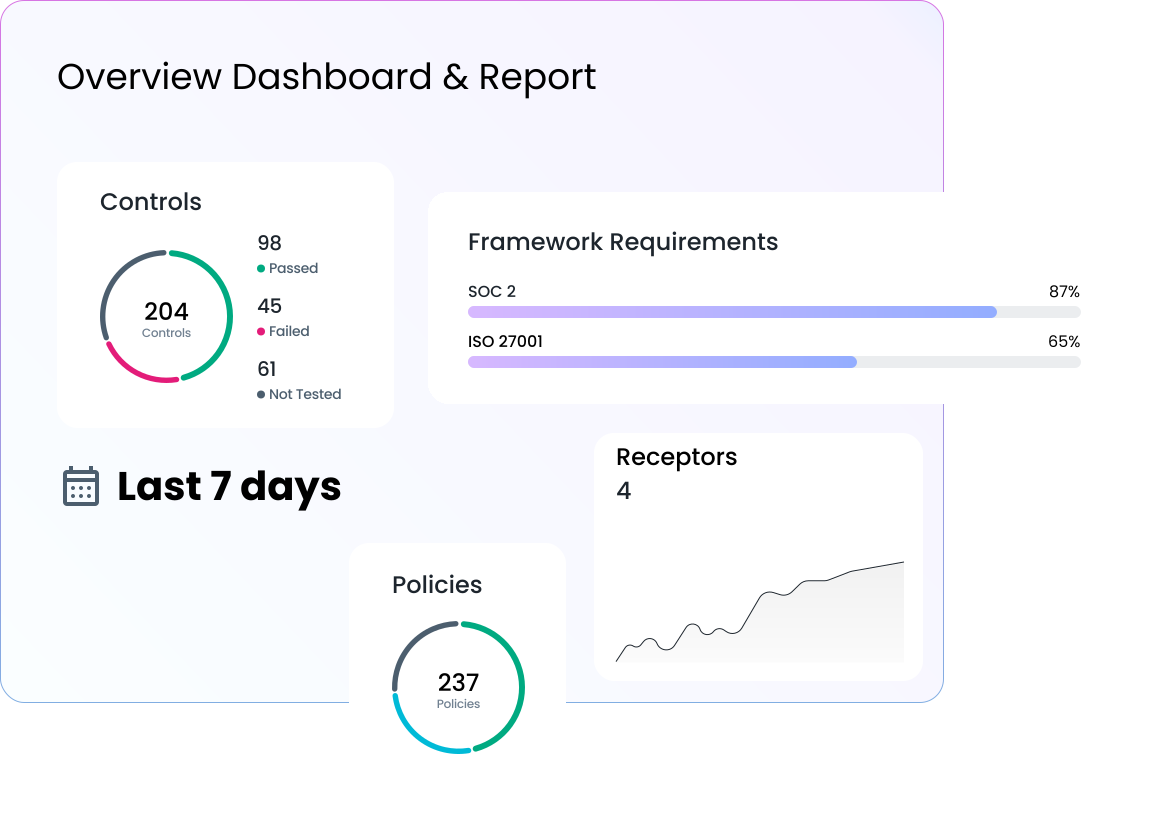
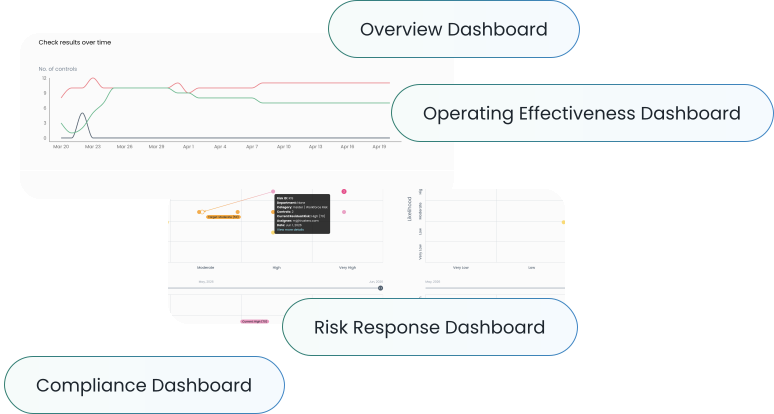
Four dashboards give you a complete view of your program from different angles. The Overview dashboard is a 12-tile grid covering the current state of frameworks, open audits, controls, evidence, policies, risks, requests, and vendors - alongside sparklines of recent AI activity. Every tile drills into the relevant index.
The Operating Effectiveness dashboard shows control test results two ways: an executive summary with donut charts and trend lines per framework, and a per-control heatmap where clicking any control surfaces its full historical result timeline. The trend data accumulates across every run - giving you a period selectable view of how control performance has changed as your program matures.
The Risk Response dashboard visualizes how well controls are mitigating risks - with a management overview, residual vs. inherent risk views, and a Risk Heatmap, with targeted and actual residual risk. From there you can dive deeper and see how controls performance affect each risk.
The Compliance dashboard is the audit readiness hub: progress cards across policies, controls, risks, and requests, each with drill-down links into the records that need attention. Download Work Papers and a Pro Forma SOC 2 report directly from the dashboard.
Like reports, every dashboard is customizable by scope. Filter by framework, department, assignee, or custom label - so a dashboard scoped to a specific service or product line shows only the controls, risks, and evidence tagged for that context. Filter state is preserved in the URL, making any scoped view shareable as a link.
How Compliance and Risk Teams Use Reports & Dashboards Every Day
Chain Workflows to Go Deeper
Run a Control Test scoped to a specific service. Feed the report into a Playbook that analyzes the risk implications of the failures. Each workflow's output becomes the next one's starting point.
Scope Everything to What Actually Matters
Use custom labels to run a control test, generate a report, and view a dashboard scoped to a single product line, customer segment, or internal team - without noise from the rest of the program.
Show Improvement Over Time
The Operating Effectiveness dashboard accumulates control test results across runs. Pull up a 12-month trend for any framework and show exactly how the program has improved - for an executive briefing or an audit walkthrough.
How Compliance and Risk Teams Use Reports & Dashboards Every Day
Scenario:
A GRC director runs a full Control Test across the SOC 2 framework. The report is generated automatically - per-control results, per-procedure citations, gaps and recommendations. Rather than treating the report as the end of the workflow, the director feeds it directly into a Playbook that analyzes the risk implications of the failing controls: which risks lack sufficient mitigating coverage, which are approaching the residual threshold, and what remediation priority order the AI recommends. The second report is stored alongside the first. Both are now linked artifacts in the program's record.
Scenario:
A company runs two distinct product lines, each with different compliance obligations. The compliance team has tagged all controls, policies, and evidence for each product line with a custom label. Before a customer audit for one product line, the GRC Audit Manager runs a Control Test scoped to that label - the resulting report covers only the controls relevant to that customer. They then open the Operating Effectiveness dashboard filtered to the same label and export it to PDF. The product team sees a precise, scoped view of their service's control performance - not the full program.
Scenario:
The Compliance Program Manager needs to demonstrate that their program has materially improved over the past year. They open the Operating Effectiveness Overview dashboard, set the date range to the past 12 months, and group by framework. The trend lines - fed by every Control Test run over that period - show a clear improvement in pass rates across SOC 2 and ISO 27001. They export the dashboard to PDF and include it in the Risk Committee deck. The historical data needed no assembly - it accumulated automatically with every run.