GRC Requests. Fulfilled Automatically
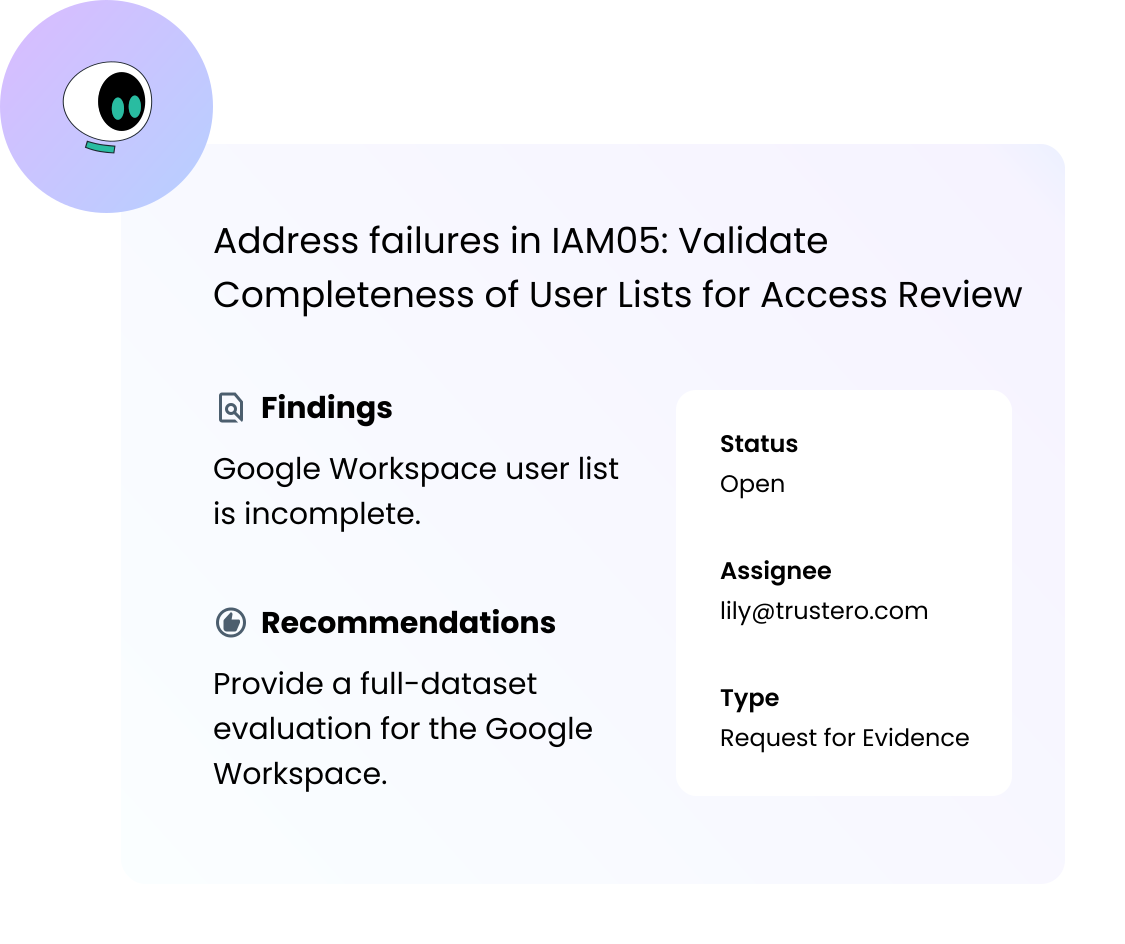
Five Request Types
Evidence, policy documents, vendor attestations, information, and remediation actions - every compliance ask has a purpose-built type.
AI-Assisted Resolution
Before a request reaches a human, Trustero AI checks whether it can already be satisfied - finding existing evidence, attaching it, and closing the request automatically.
Workflow Integration
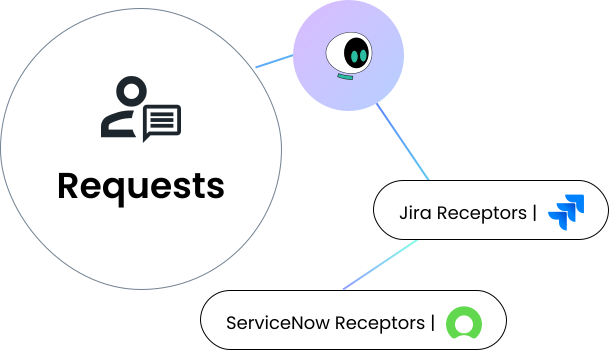
Push any request into Jira or ServiceNow. Your team works in familiar tools; Trustero monitors the status and pulls the evidence back automatically.
Complete Audit Trail
Every request is tracked from creation to close - linked to the controls, policies, and vendors it concerns, and exportable for reporting.
Close Gaps. In a Controlled, Auditable Way.
Requests replace untracked email chains with a structured, assignable, linked workflow - one that connects directly to the GRC records that depend on it.
Resolved Before Anyone Is Asked
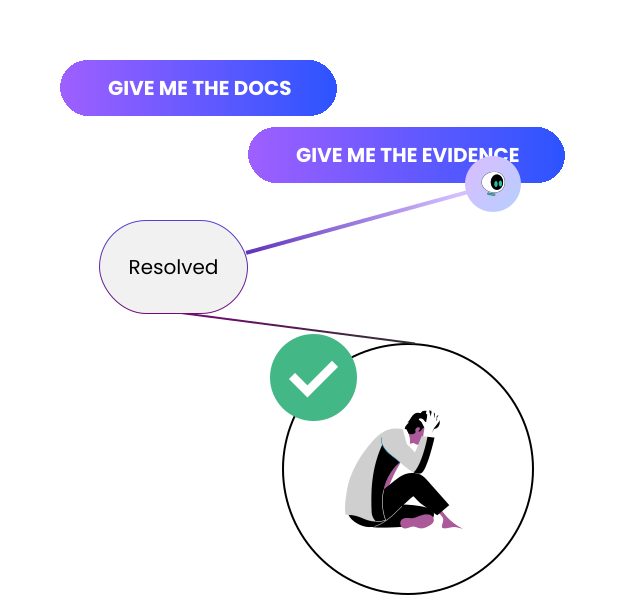
Trustero AI examines every new request and tries to resolve it automatically - finding existing evidence, attaching it to the control, and closing the request without human involvement. Many requests never need to reach a person.
Performance in Existing Reports
Because the work happens inside Jira or ServiceNow, it shows up in the dashboards and sprint reports your engineering managers and department leads are already using. Compliance work becomes part of regular operational meetings.
No New System for Your Team
Engineers get a Jira ticket. IT gets a ServiceNow task. Compliance requests become part of the backlog your team is already managing - not a new process to learn.
Requests Tied to What They Fix
Every request is linked to the control, policy, or vendor it concerns. When a request is fulfilled, the evidence lands where it belongs - automatically.
One Place to Initiate and Monitor
Create the request in Trustero, push it to your team's workflow system, and track status without switching tools or chasing down updates.
FIVE REQUEST TYPES
The Right Ask for Every Situation
Not every compliance request is the same. Requesting a control test result from an engineer is different from asking a vendor for their latest SOC 2 report, which is different from asking a control owner to remediate a failure. Trustero has a purpose-built request type for each.
Each type determines what satisfies it, which records it links to, and how the fulfillment is handled - so the right artifact ends up in the right place automatically.
Request types (presented as a clean table or card set):
| Type | Use it to request | Satisfied by | Links to |
|---|---|---|---|
| Request for Evidence | Proof that specified controls operate | Evidence (uploaded or linked) | Controls |
| Request for Policy Document | A policy document from the policy library | A policy document | Policies |
| Request for Vendor Attestation | A vendor compliance report (e.g. SOC 2, ISO) | An attestation document | Vendors |
| Request for Information | Information or data that doesn't fit another type | A document or written response | Controls, policies, and/or vendors |
| Request for Action | A remediation action or task to be completed | A document evidencing completion | Controls, policies, and/or vendors |
AI-ASSISTED RESOLUTION
Resolved Before Anyone Is Asked
Not every compliance request needs a human to fulfill it. When a new request is created, Trustero AI immediately examines it and searches the evidence repository for artifacts that already satisfy it. If a match is found, the AI attaches the evidence to the control and closes the request - without notifying an assignee, without creating a ticket, without any manual steps.
This matters most when control monitoring surfaces a failure and a new Request for Evidence is generated. We all know that one evidence could be used for multiple controls. Rather than routing that request to an engineer who may need days to respond, Trustero AI checks whether the evidence is already in the evidence repository. If the right evidence exists, the request is resolved on the spot. If not, it moves forward into the normal assignment and fulfillment workflow.
The result: fewer requests reach humans, the ones that do are genuine, and your team spends less time on requests that could have been closed automatically.
JIRA AND SERVICENOW INTEGRATION
Your Team Works in Their Tools. You Stay in Control.
Gathering compliance evidence is time-consuming enough. It gets worse when requests are managed in one system and files have to be uploaded into another. Trustero eliminates that double-tracking by pushing requests directly into the workflow systems your team already relies on.
Connect a Jira or ServiceNow receptor, and any request can be turned into a ticket in the project or queue of your choice. Title and description are pre-filled from the request. The assignee picks it up in the normal backlog - no new system to learn, no extra process to follow. When they attach evidence and close the ticket, Trustero pulls it back automatically and links it to the corresponding control, ready for control testing, dashboards, and AI analysis.
For ServiceNow, you can configure Trustero to pull evidence from specific applications and issue types, and choose whether to retrieve all evidence gathered or just a targeted subset - so the integration fits your existing ServiceNow structure without requiring changes to how your team operates.
The compliance team never has to chase a ticket. The engineering manager never has to explain a new tool. Every request stays visible in Trustero from creation to close. Trustero AI analyzes the evidence and suggests control mappings.
How Compliance and Risk Teams Use Requests Every Day
Turn Control Failures into Tracked Remediation
When a control fails, create a Request for Action directly from the test result - pre-populated with the failure details and remediation recommendation, assigned to the control owner, and linked to the corresponding ticket.
Close Requests Without Human Intervention
When a control test fails and a new evidence request is created, Trustero AI searches the evidence repository first. If the evidence already exists, it's attached and the request is closed - automatically, before anyone is asked to do anything.
Manage the Full Evidence Collection Cycle
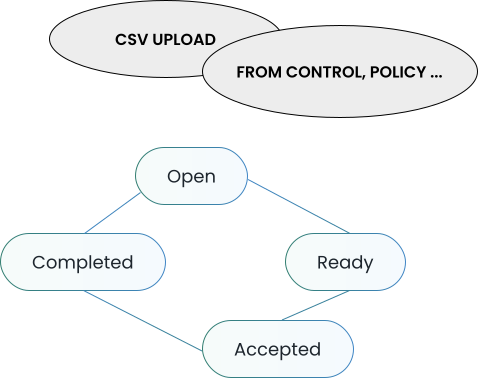
From the moment a request is created to the moment evidence is accepted, every step is tracked and linked - to the request, to the control, and to the audit it supports.
Handle Audit Requests Without the Scramble
Scope the Requests Index to an open audit and manage all incoming evidence and information requests from a single filtered view - with status, assignee, and due date visible at a glance
How Compliance Teams Use Requests Every Day
Scenario:
Trustero's continuous control monitoring detects that a control no longer has valid evidence - the previous evidence has aged out. A Request for Evidence is created, linked to the control. Trustero AI searches the evidence repository and finds a recently collected artifact from a connected system that satisfies the control's test procedure. The AI attaches it to the control and closes the request. The compliance team sees a closed request, a satisfied control, and no action required on their part.
Scenario:
A compliance manager needs to collect evidence from ten engineering controls before the next audit window. Rather than sending individual emails and tracking responses in a spreadsheet, they create the requests in bulk from a CSV, push each one to the corresponding Jira project as a ticket, and assign them to the relevant engineers. Engineers pick up the tickets in their normal sprint. When a ticket is closed with evidence attached, Trustero pulls it back automatically and links it to the control. Engineering management oversees the tasks as part of their normal operating procedures.
Scenario:
Trustero's continuous control monitoring flags a failure on a critical control. The compliance team opens the test result, reviews the identified gap and the AI-generated remediation recommendation, and creates a Request for Action directly from the finding - already populated with the failure context and linked to the control. The request is assigned to the control owner and pushed to ServiceNow as a task. Progress is visible in Trustero until the request is accepted and closed. The control owner manager sees their work as part of the regular operations.
Scenario:
Annual vendor review season means tracking down SOC 2 reports, security questionnaires, and other attestations from dozens of vendors. The compliance team creates Request for Vendor Attestation records for each vendor, assigns them to the internal vendor relationship owners, and monitors status from the Requests Index. When a document is uploaded, it is automatically linked to the vendor record in Trustero. Turstero AI takes over to evaluate the vendor.
Scenario:
An audit is underway and the auditor has submitted a list of evidence and information requests. The compliance team scopes the Requests Index to the open audit, creates or imports the requests, and assigns each to the appropriate internal owner with a due date. Trustero AI reviews the requests and points to the correct artifact - evidence, diagrams, policies, etc. - and closes the request, if possible. Status, assignee, and linked evidence are visible in real time. Nothing is managed over email.